ASO Studio · App Store & Google Play
Your app’s story.
Written for each store.
Turn your App profile into an editable listing draft. Shape the message, review each store’s fields, and keep your localizations together in ASO Studio.
Start your ASO draftCreate a free account. AI generation uses credits; review the current allowance and Pro options on Pricing.
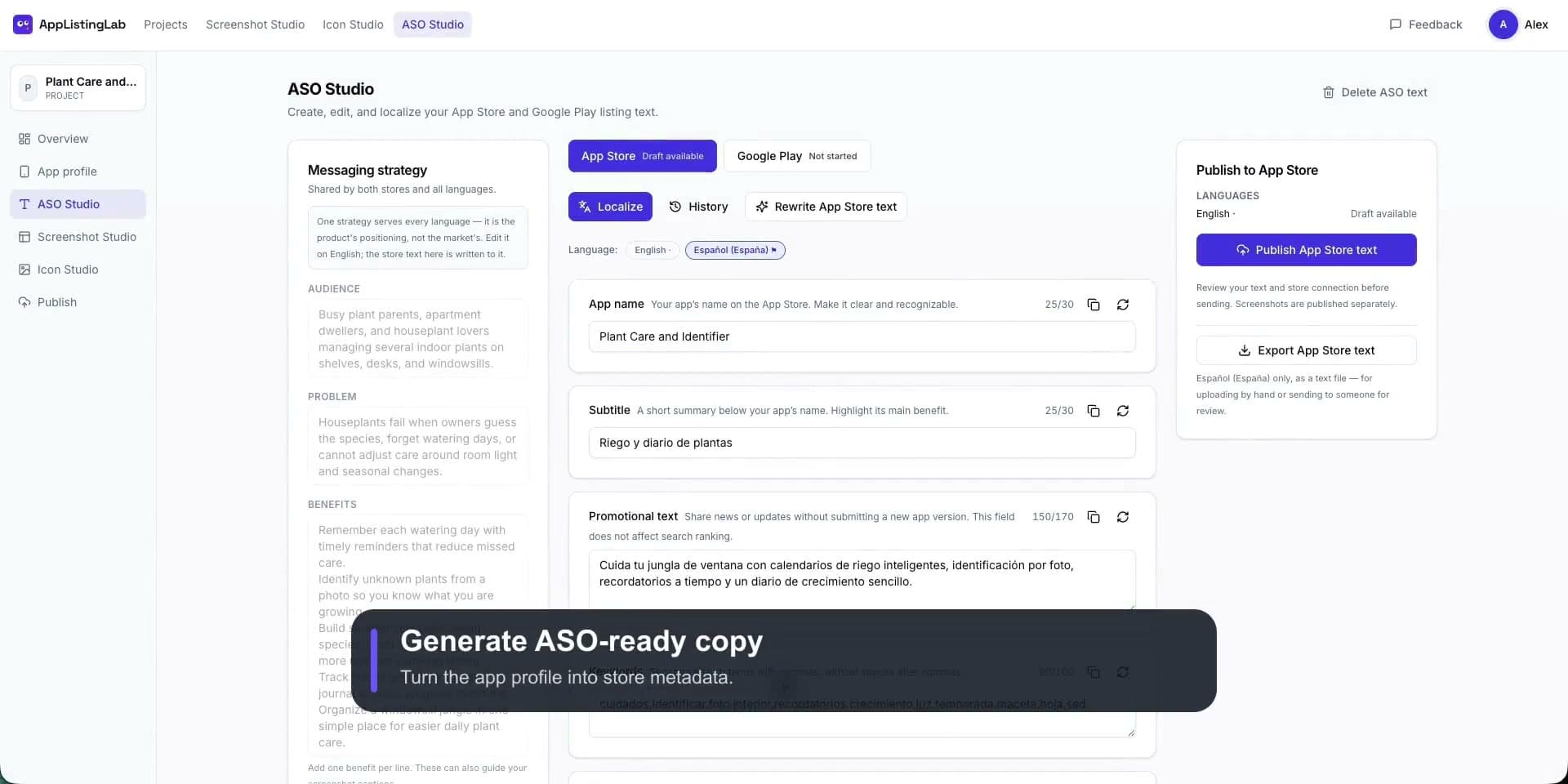
One message, different fields
More than a long description.
Each store has its own fields and limits. Switch stores and edit a field to see its counter.
Try a store-specific draft
Illustrative Plant Care copy · edits stay on this page
These counters demonstrate field limits; they do not validate a store submission. Keyword ideas are starting points for your review. This example does not measure search demand or ranking.
How it works
- 1
Start from your App profile
Audience, problem and real features, shared with your screenshots.
- 2
Draft per store
App Store and Google Play fields, each within its limit.
- 3
Edit and keep revisions
Regenerate one field, compare versions, restore one.
- 4
Localize and export
Review every language, then export for upload.
Review before you publish
Check every claim and translation against your app. Competitor context helps positioning, not your keywords.
Not a rank tracker
Keyword ideas are suggestions, not measured search volume, difficulty or ranking forecasts.